




UUNA TEK
iDraw H SE アーティスト、ジェネレーティブアート、手書き自動化向けA3/A2描画ロボット - 堅牢なiDraw Hハードウェアと柔軟なAxidrawソフトウェアを搭載
iDraw H SE アーティスト、ジェネレーティブアート、手書き自動化向けA3/A2描画ロボット - 堅牢なiDraw Hハードウェアと柔軟なAxidrawソフトウェアを搭載
共有する
店舗受け取りの在庫状況を読み込めませんでした
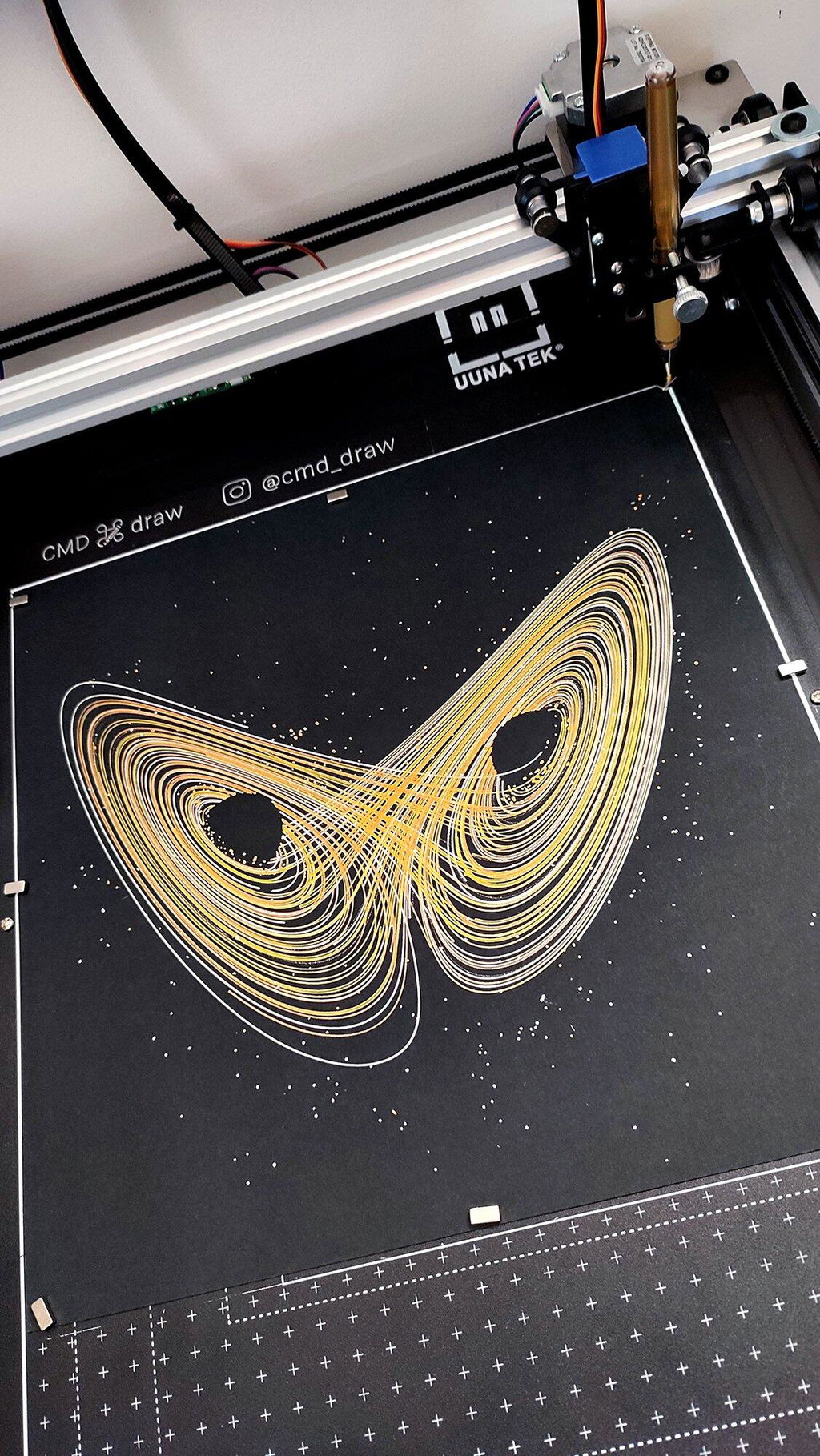
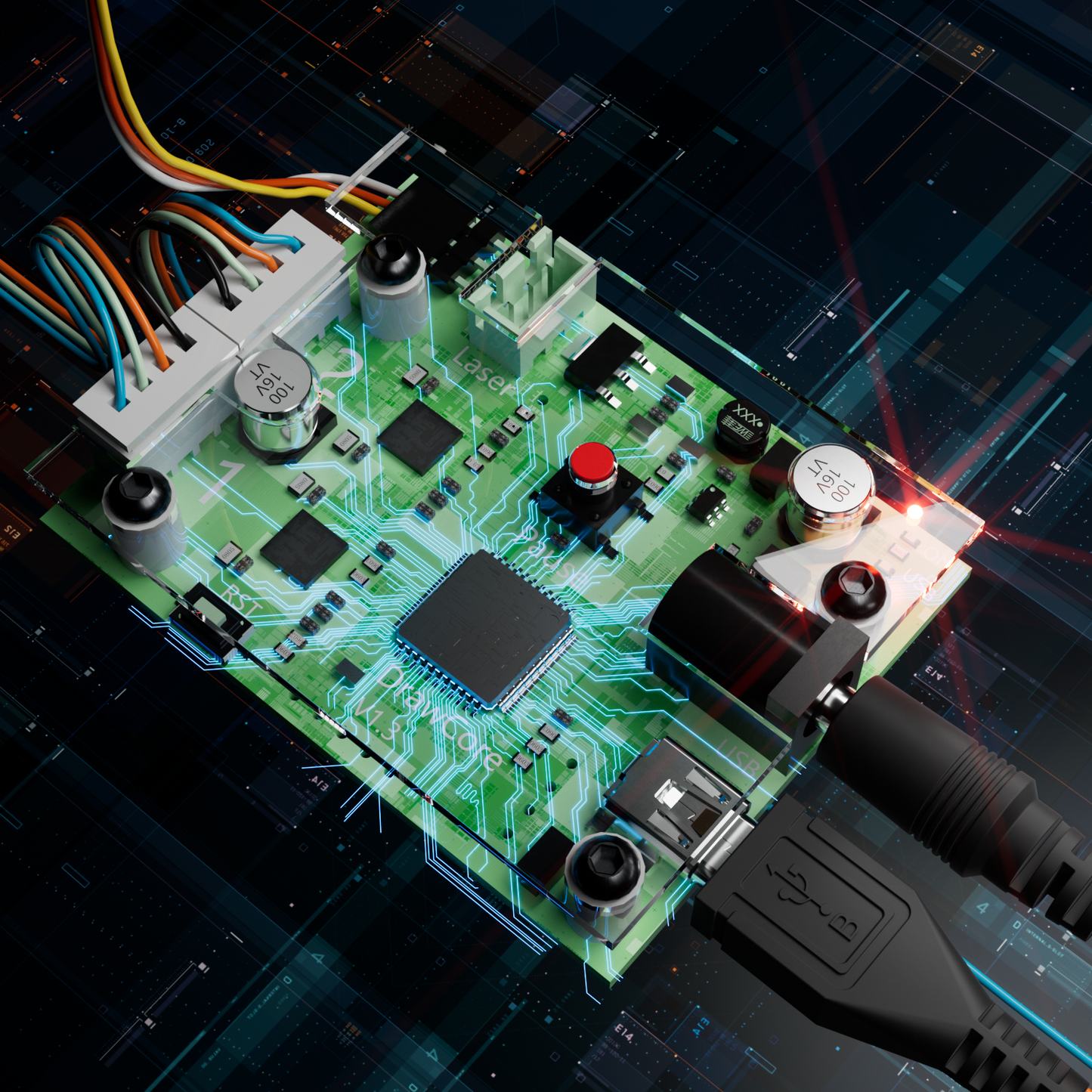
iDraw H SEをご紹介します - A3/A2サイズのCoreXY描画ロボット。アーティスト向けのペンプロッター、描画マシン、筆記マシン、署名マシンです。堅牢なiDraw Hハードウェアと柔軟なAxidrawソフトウェアエコシステムを完璧に融合しています。この多用途なアーティスト向け描画ロボットは組み立て済みで、箱から出してすぐに使用できます。スタンドアロンのコマンドラインインターフェース(CLI)と、高度なカスタマイズに対応するiDraw Python APIをサポートしています。PremiumUltra Scriptalizer機能により、さまざまなフォントを簡単に使えます。Email MergeとHershey Fontsを使った正確な一括書き込みを実現し、最大12,000MM/MINの比類ない速度をお楽しみいただけます。EBBファームウェアを搭載したDrawCore V1.3マザーボードにより、0.0125mmの解像度で優れた精度を実現します。
H A2サイズのベースプレートには、目盛りが含まれていません。ご購入前にご了承ください。
磁気ブロックは、制限により配送業者によって取り除かれる場合があります。お近くの店舗またはAmazonショップで合計10ドル未満でご購入いただければ、補償いたします。ありがとうございます。




折りたたみ可能なコンテンツ
iDraw H SEとは何ですか?
iDraw H SEは、アーティスト、デザイナー、開発者向けに設計された、組み立て済みのA3/A2ペンプロッターです。高精度なCoreXYモーションシステムとAxiDraw互換ソフトウェアを組み合わせており、ジェネレーティブアートの制作、手書きの自動化、コマンドラインインターフェースやPython APIを使った描画の制御が可能です。
iDraw H SEはどのような人に最適ですか?
詳細なペン画を制作するアーティストやイラストレーター
SVG、Processing、またはアルゴリズムアートに取り組むジェネレーティブアーティスト
Inkscapeやベクターのワークフローを活用するデザイナー
Python APIやCLIで自動化を構築する開発者
手書きの手紙、招待状、カードを大量に制作する小規模事業者
iDraw H SEで何ができますか?
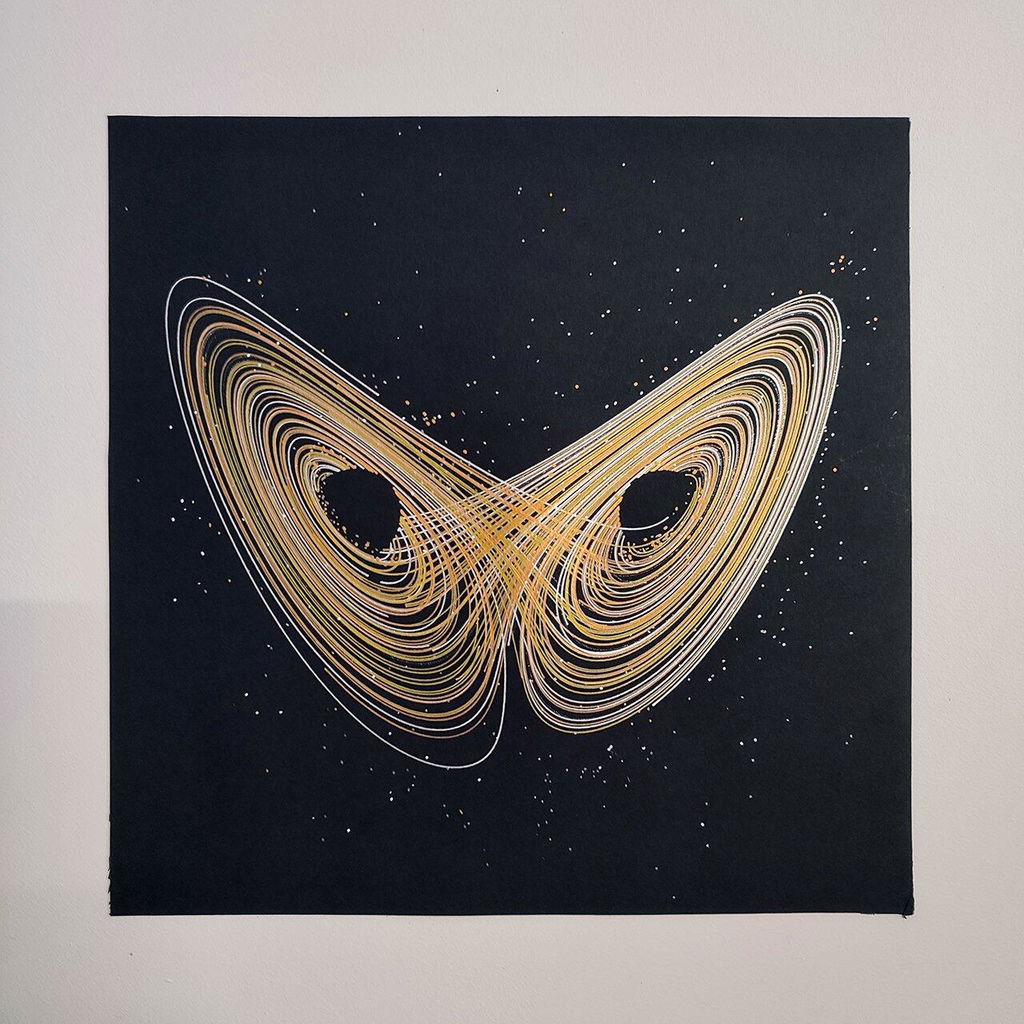
- ジェネラティブアートやアルゴリズムによる描画を作成する
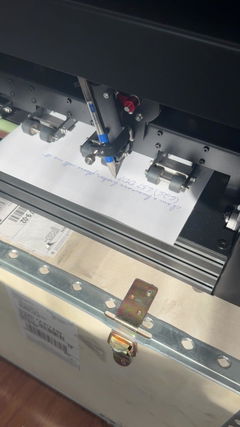
- 手紙、封筒、招待状の手書きを自動化する
- InkscapeでSVGファイルから直接プロットする
- バッチ処理にPythonスクリプトやCLIを使う
- さまざまなペン、インク、素材を試す
- 正確で再現性の高い描画を大量に作成する
メリット・デメリット
メリット
- 組み立て済みで初心者にも使いやすい
- AxiDrawのツールやワークフローとの高い互換性
- 高度な自動化に対応(Python + CLI)
- 高精度で高速なプロッティング
- クリエイティブな用途にも商用利用にも最適
デメリット
- 高度な機能やスクリプトの習得には時間がかかります
- レーザー彫刻には非対応(iDraw Hシリーズとは異なります)
- 初心者向けのドキュメントは改善が必要な場合があります
どのような成果が期待できますか?
iDraw H SEを使えば、次のものを制作できます。
- 繊細な線画
- 複雑な幾何学模様やジェネレーティブパターン
- 手書き風のテキスト出力
- 複数のペンを使ったアート実験
各出力は正確で、再現性が高く、カスタマイズ可能です。
iDraw H SEを選ぶ理由とは?
次のような方にiDraw H SEは最適です:
- 信頼性が高く、すぐに使えるペンプロッター
- 創造性の柔軟さと技術的な制御のバランス
- 芸術的な探求と自動化の両方に対応するマシン
主な機能
-
🆕高度なCoreXY駆動構造
このモーション構造にはCoreXY設計を採用しており、あらゆる描画や彫刻のニーズに応える高い精度と安定性を実現します。
-
🆕オールインワン設計、組み立て済み、箱から出してすぐ使えます
この機能により、お絵描きロボットは完全に組み立てられた状態で届くため、箱から取り出してすぐに使用できます。セットアップの手間なく、アーティストはすぐに制作を始められます。
-
🆕スタンドアロンのコマンドラインインターフェース(CLI)と利用可能なiDraw Python APIに対応
この機能は上級ユーザーに柔軟性を提供し、コマンドラインインターフェースによる制御や、カスタムPythonスクリプトと連携するためのAPIを利用できるため、自動化とカスタマイズを強化できます。
-
🆕多用途ベースプレート設計
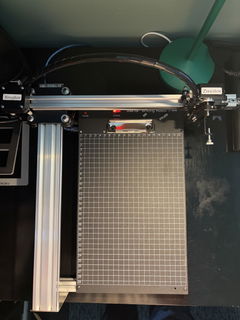
再設計されたベースプレートには、A5からA2までのさまざまなサイズの位置が示されており、アーティストはホームポイントや描画サイズを簡単に確認できます。
-
PremiumUltra Scriptalizerを応援する
この機能を使うと、プロジェクトごとにフォントが自動で変化し、手軽に作品にユニークで動きのある印象を加えられます。
-
メールマージとHersheyフォントに対応した、手軽な一括書き込み
iDraw H SEペンプロッターは、メールマージに対応しており、手紙、封筒、カード、招待状を一括で書くことができます。Hershey Fontsを使えば、人間らしい手書き文字を再現できます。
-
圧倒的なスピード - 他社より3倍高速
iDraw H SEは最大12,000MM/MINの筆記速度でゲームを塗り替え、競合製品を大きく引き離します。
-
最先端のテクノロジー
DrawCore V1.3マザーボードを搭載し、EBBファームウェアを備えた、革新の最高峰です。
-
精密さを再定義
Y軸とX軸の両方で最小分解能0.0125mmを実現し、細部まで正確な作品を作り上げるための、精密な機械加工を可能にします。
-
直感的な操作
iDraw Controlアドオンを使えば、電力レート、彫刻速度、入力形式をシームレスに管理できます。
-
使いやすい接続性
USBで接続でき、Windows 7/8/10/11以降、Mac OS、Linuxなど、さまざまなオペレーティングシステムで柔軟に使用できます。
折りたたみ可能なコンテンツ
仕様
マザーボード:DrawCore V1.3
ファームウェア:EBB
追加オプション:UUNA TEK H SE Control
フレーム素材:アルミニウムプロファイル + ステンレス鋼 + 磁性鋼板
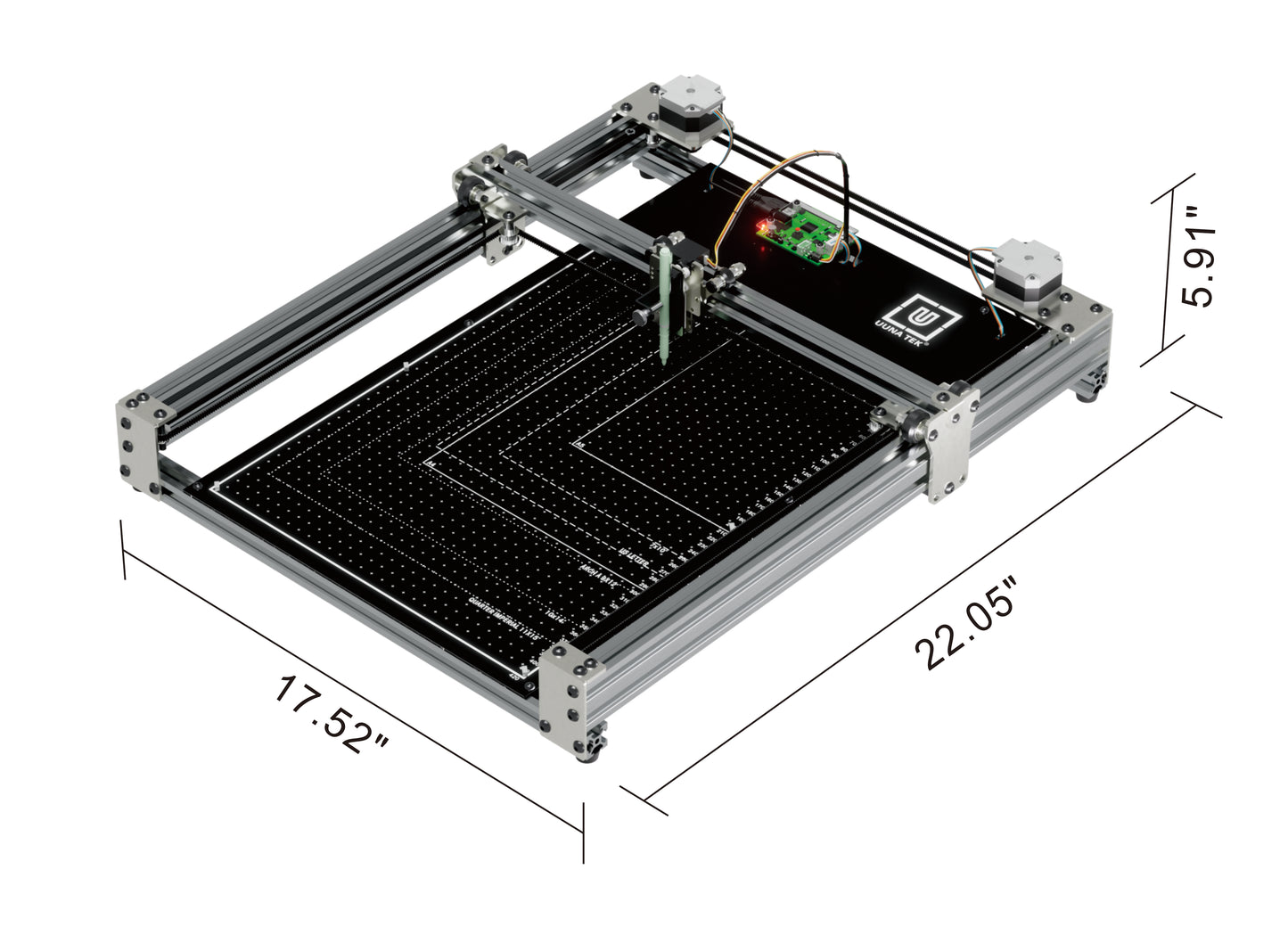
作業領域:420×297 mm(A3)、420×594 mm(A2)
モーター:CoreXYモーション構造
機械精度:XY:0.1 mm、ペンの垂直移動量:15 mm
最小動作分解能:0.0125 mm
描画精度:0.1 mm
使用可能なペンの直径:最大16 mm
本体正味重量:6.1 kg(A3)、10 kg(A2)
本体サイズ:560×460×115 mm(A3)、750×580×115 mm(A2)
梱包重量:7.5 kg(A3)、19 kg(A2)
梱包サイズ:620×500×160 mm(A3)、810×630×190 mm(A2)
XY最大移動速度:15 in/sec(≈38 cm/sec)
ネイティブXY解像度:2032 steps/inch(≈80 steps/mm)
再現性(XY):低速時、通常0.005 in(0.1 mm)より高精度
リミットスイッチ:Y
ペンの角度調整範囲:70–90°
接続:USB
入力電圧:AC 100–240V(世界中で使用可能)
電源アダプター出力:DC 12V、≥1A
対応OSとソフトウェア:Windows 7/8/10/11以降(iDrawソフトウェア、Inkscape)、Mac OS(iDrawソフトウェア、筆記・描画用のInkscape、レーザー彫刻用のLightBurn)、Linux
性能
ペンの有効移動範囲(ミリメートル):420× 297 mm(A3)、420 x 594 mm (A2)
ペンの垂直移動量:15 mm。
XY軸の最大移動速度:毎秒15インチ(38 cm)。
XY軸のネイティブ解像度:1インチあたり2032ステップ(1 mmあたり80ステップ)。
再現性(XY):低速時は通常0.005インチ(0.1 mm)より高精度です。
身体的な
主要な構造部品は、アルミニウムプロファイル、ステンレス鋼、磁性鋼板です。
直径16 mmまでのペンやその他の製図用具を収納できます。
ソフトウェア
最新ソフトウェアはいつでもこちらからダウンロードできます: https://uunatek.com/pages/downloads(またはこちら>>>から直接ダウンロード)
Mac、Windows、Linuxに対応
iDraw拡張機能を使って、Inkscapeから直接操作できます。
詳しいユーザーガイドをダウンロードできます。
ダウンロード無料、オープンソースのドライバーソフトウェア
ソフトウェアのダウンロードにはインターネット接続が必要です。
さらに、iDrawの所有者はiDraw Mergeソフトウェアを無料で利用できます。
🆕プログラミングインターフェース
注:iDrawの使用にプログラミングは必要ありません。
マシンを完全に制御できるRESTful API。単独で使用することも、RoboPaintをバックグラウンドで実行してアクセスすることもできます。・URLの取得のみが可能なプログラミング環境(ScratchやSnapなど)向けに、簡易版の「GETのみ」APIも利用できます。
USBベースのシリアルポートとの通信に対応したあらゆるプログラミング環境で使用できる、EiBotBoard(EBB)の直接コマンドプロトコル。
SVGファイルを生成するコードは、マシンの制御(間接的)にも使用できます。
梱包リスト
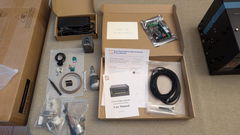
1X iDraw H SEペンプロッター
1Xツールキット、
1X電源アダプター、
1XUSBケーブル
12Xマグネット
1Xクイックスタートマニュアル
1Xお礼カード
チュートリアル
UUNA TEK 1.0 Pen Plotterについては、こちらの動画チュートリアル>>>をご確認ください。
UUNA TEK 2.0 Pen Plotterについては、こちらの動画チュートリアル>>>をご確認ください。
UUNA TEK H Pen Plotterについては、こちらの動画チュートリアル>>>をご確認ください。
UUNA TEK H SE Pen Plotterについては、こちらの動画チュートリアル>>>をご確認ください。
ソフトウェアについては、こちらの動画チュートリアル >>>をご確認ください。
レーザー機能については、こちらの動画チュートリアル>>>をご確認ください。
| iDraw H SE vs iDraw H – Comparison Table | ||
|---|---|---|
| Feature | iDraw H SE | iDraw H |
| Motherboard | Drawcore V3.0 | Drawcore V2.0 |
| Firmware | GRBL Not Compatible | GRBL Compatible |
| Software Support | Full AxiDraw Functions + Python API + CLI, Inkscape Writing and Drawing | Inkscape Writing, Inkscape Drawing, Lightburn for Laser |
| Connectivity | USB | USB, Bluetooth |
| Working Area | 420 × 297 mm (A3) | 420 × 297 mm (A3); A2/A1/A0 options available |
| Mechanical Precision | X/Y: 0.01 mm | X/Y: 0.01 mm |
| Writing Speed | Up to 12,000 mm/min | Up to 12,000 mm/min |
| Engraving Speed | 0–5,000 mm/min | 0–5,000 mm/min |
| Laser Power Options | N/A | 0.5W / 1.6W / 2.5W / 10W / 15W |
| Frame Material | Aluminum | Aluminum + Steel Plate |
| Pen Angle Adjustability | 70–90° | 70–90° |
| Supported OS | Windows, Mac, Linux | Windows, Mac, Linux |
| Input Formats | SVG, PNG, JPG, JPEG, BMP | SVG, PNG, JPG, JPEG, BMP |
| Power Adapter Output | 12V / 1A | 12V / 1A |
| Operating Temperature | -20°C to 50°C | -20°C to 50°C |
iDraw H SE vs iDraw H (Quick Comparison)
Choose iDraw H SE if you want:
AxiDraw-compatible workflow Python API and CLI control A cleaner, software-focused experience
Choose iDraw H if you want:
Laser engraving capabilities More hardware expansion options Broader multi-function use cases
よくある質問
1. iDraw H A3とiDraw H SE/A3の主な違いは何ですか?
iDraw H SE/A3はアーティスト向けに特別に設計された特別版で、標準モデルのiDraw H A3とは異なるいくつかの主な特長を備えています。主な特長は次のとおりです。
- 高度なCoreXYモーション構造:描画や彫刻のあらゆる用途において、精度と安定性を高める設計です。
- 一体型設計、組み立て済み、箱から出してすぐに使用可能:描画ロボットは完全に組み立てられ、箱から出してすぐに使えます。セットアップの手間がなく、アーティストはすぐに制作を始められます。
- スタンドアロンのコマンドラインインターフェース(CLI)とiDraw Python APIに対応:上級ユーザーは、コマンドラインインターフェースから操作できるほか、カスタムPythonスクリプトとの連携にAPIを利用できます。これにより、自動化とカスタマイズの幅が広がります。
- 多用途ベースプレート設計:再設計されたベースプレートには、A5からA3までのさまざまなサイズに合わせた位置決め機能があり、アーティストはホームポイントや描画サイズを簡単に確認できます。
2. iDraw H SE/A3とUUNA TEK 3.0の違いは何ですか?どちらが優れていますか?
iDraw H SE/A3とUUNA TEK 3.0はどちらも一体型構造で設計されており、メール差し込みやランダムなフォントのバリエーションなど、共通する機能を備えています。ただし、両者には重要な違いがあります。
- ソフトウェア基盤: iDrawシリーズのペンプロッターはすべてオープンソースソフトウェア(Inkscape)をベースにしている一方、UUNA TEKシリーズのペンプロッターは独自開発のUUNA TEKソフトウェアを使用しており、高度な機能の開発においてより柔軟性があります。
- フォント作成: UUNA TEKシリーズのペンプロッターには、手書き文字を再現し、あらゆる言語で一筆書きフォントを作成できる無料のフォント作成ツールが搭載されており、大量の文字書きに最適です。
- デザインのインスピレーション: iDraw H SE/A3は、スウェーデン出身で、独特の北欧デザインとオブジェクトに物語を織り込む作風で知られる著名なアーティスト、イェスパー・ストールに着想を得たカスタムベースプレートを採用し、アーティスト向けに特別に設計されています。詳しくはこちらをご覧ください。
作品に最適なドローイングロボットをお探しなら、iDraw H SE/A3がおすすめです。効率を重視し、大量の文字書きに使える無料のフォント作成機能が必要な方には、UUNA TEK 3.0が最適です。購入の詳しいガイドは、こちらをご覧ください。
3. もっと大きいサイズはありますか?
現在は対応しておりませんが、ほかのサイズをご希望の場合は、support@uunatek.com までメールでお問い合わせいただければ、お見積もりいたします。ご希望のサイズにカスタマイズすることも可能です。
4. 一度はプロットできますが、それ以上はできないのですか?
次のガイドに従ってください:
1. すべての接続とソフトウェア設定がわかる短い動画を撮影し、確認のためsupport@uunatek.comに送ってください
2. 「Options-Preview&Alerts」の「Enable offline preview mode」にチェックが入っているか確認してください。このバージョンでは機能しないため、このオプションのチェックを外してください
5. iDraw H SEプロッター用のホームコーナーをどのように設置すればよいですか?
6. 赤いボタンを押して機械が停止した場合、どうすればよいですか?プロットを再開できますか?
赤い緊急停止ボタンを押した後でも、作業を再開できます。ボタンを押すと、機械は一時停止して次の指示を待ちます。再開するには、次の手順に従ってください。
- Inkscapeソフトウェアを開きます。
- 拡張機能メニューを開きます。
- 再開セクションを探します。
- 最初からやり直す場合は最初から再開を、一時停止した正確な位置から続ける場合は一時停止した位置から再開を選択します。
👉 ヒント:図面の重複や未完成を避けるため、プロジェクトの進捗状況に応じて適切な再開オプションを選択してください。
7. なぜ、A3サイズで使いたいのに、iDrawペンプロッターは215 × 300 mmを超えるサイズをプロットするとエラーになるのですか?
これは通常、ソフトウェアの設定で誤ったモデルサイズが選択されている場合に発生します。デフォルトでは、ソフトウェアがA4などのより小さなモデルに設定されているため、最大プロット領域が制限されることがあります。
解決するには、次の手順に進んでください。
オプション → 設定 iDrawモデル → A3サイズを選択
その後、もう一度プロットをお試しください。正しいモデルサイズを選択すると、機械はエラーなくA3のプロット領域全体に対応します。
8. iDraw H SEは初心者に向いていますか?
はい。組み立て済みで届き、Inkscapeですぐに使用できます。ただし、CLIやPython APIなどの高度な機能を使いこなすには、ある程度の学習が必要な場合があります。
9. iDraw H SEは手書きを再現できますか?
はい。Hersheyフォントとメール差し込み機能を使えば、大量の文書作成でリアルな手書き風の文字を作成できます。
10. iDraw H SEはどのソフトウェアに対応していますか?
Inkscapeプラグイン、AxiDrawソフトウェアツール、コマンドラインインターフェース(CLI)、Python APIとの連携に対応しています。
11. iDraw H SEはAxiDrawの代替になりますか?
はい。追加のハードウェアの柔軟性と高速なパフォーマンスを備え、同様のソフトウェア互換性を提供します。
We bought our first iDraw H SE A3 in summer and have used it for well over a thousand jobs for our business. The results are clean and precise, and the machine runs reliably day after day. Setup was easy, and the AxiDraw-based software is flexible enough for our workflow. It worked so well that we recently ordered a second unit, and both are now running side by side without any issues. Great value for the price.
Having studied the pen plotter market for my first machine I decided on the iDraw A3 HSE. After ordering it took a few days for the machine to be readied for dispatch and I received an email saying it would be with me in the UK in around a week but somehow, to my amazement, it arrived the next day!
It was very well packaged and only needed a few cables plugging in to get going. The build quality is great and construction looks very good plus it’s nice and sturdy. I’ve only plotted on A4 paper so far but have found the bed to be perfectly flat.
It’s really accurate and fast if you want it to be. As with all pen plotters it’s mesmerising to watch.
Being new to pen plotting there’s a lot to learn but there’s a wealth of resources online waiting to be found. I couldn’t get a particular function to work (hidden line removal) but UUNATEK were great and helped me find a solution and now I can do it. There are only a couple of things I’d like to change on it - an on/off button would be nice and, as far as I can see, you can’t use the full A3 area if using an angled pen.
Overall, this is a fantastic pen plotter and I’m really impressed with it.
I have used a cutting plotter before, and have 3D printed some parts so I could also have it do pen plotting. It's less than ideal but gave me a taste of what was possible. I also found the required cutting plotter software frustrating and limited, for example, it could not directly use an SVG file without a tedious multi-step conversion process.
From the start, the iDraw H SE has proven itself to be much better suited for my needs. I do most of my work in Inkscape already, so being able to plot directly without having to switch programs and export/import files is a huge improvement.
The device is also clearly designed to be modified, and I already have some ideas for it: I want to be able to have it hold a calligraphy pen in the same way as a human hand. I can already angle the pen, but I also need that angle to be rotated. For now, I work around this by rotating the drawing in Inkscape and the paper. But in future, I could design something, have it 3D-printed and then simply screw it in place. All that matters is that the screw holes align neatly, it's so simple!
Shipping was pretty fast: package was dispatched from Hong Kong 2 days after I placed the order, and then took 14 days to arrive in the Netherlands. The device came fully assembled and ready to use.
Software was a matter of making sure Inkscape is up-to-date and then dropping some plug-in files into the right folder, as explained in the documentation.
There's perhaps more of a learning curve than with hobbyist devices like the cutting plotter I used before, but that is to be expected when using something for power users and professionals.
The other criticism I have is the price. It's very expensive compared to a cutting plotter. I was able to find plenty of reviews and video walkthroughs of the device, giving me a very good idea what I would get. A minute of searching got me a very good discount code for the device, so I figured I'd give it a shot. Now that I've used it, I'm definitely keeping it.
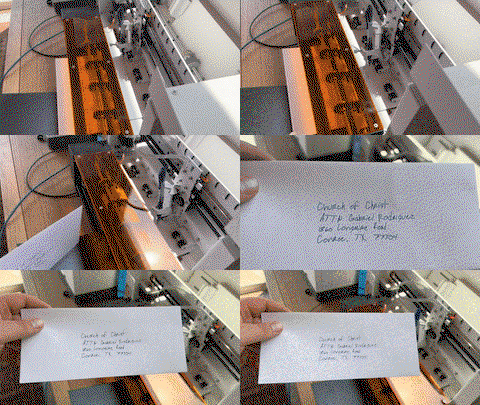
Attached is a timelapse video of one of the first things I did with the plotter, which was making holiday cards to send out!
This is my first plotter and I cannot say enough good things about it. It arrived perfectly and setup was a breeze, it just took 15 minutes and everything has been working great ever since. I'm really happy with it. The support is also excellent!
This is the second pen plotter I have owned, and I am thoroughly impressed with the upgrade in quality. The iDraw H SE (A3) feels incredibly solid and the operation is smooth and stable. As the title says, the precision is excellent; it handles complex vector files and fine lines without any issues.
Setting it up was straightforward, and it fits perfectly into my existing Inkscape workflow. If you are looking for a reliable machine that produces consistent, high-quality results, I highly recommend this one. I absolutely love it.
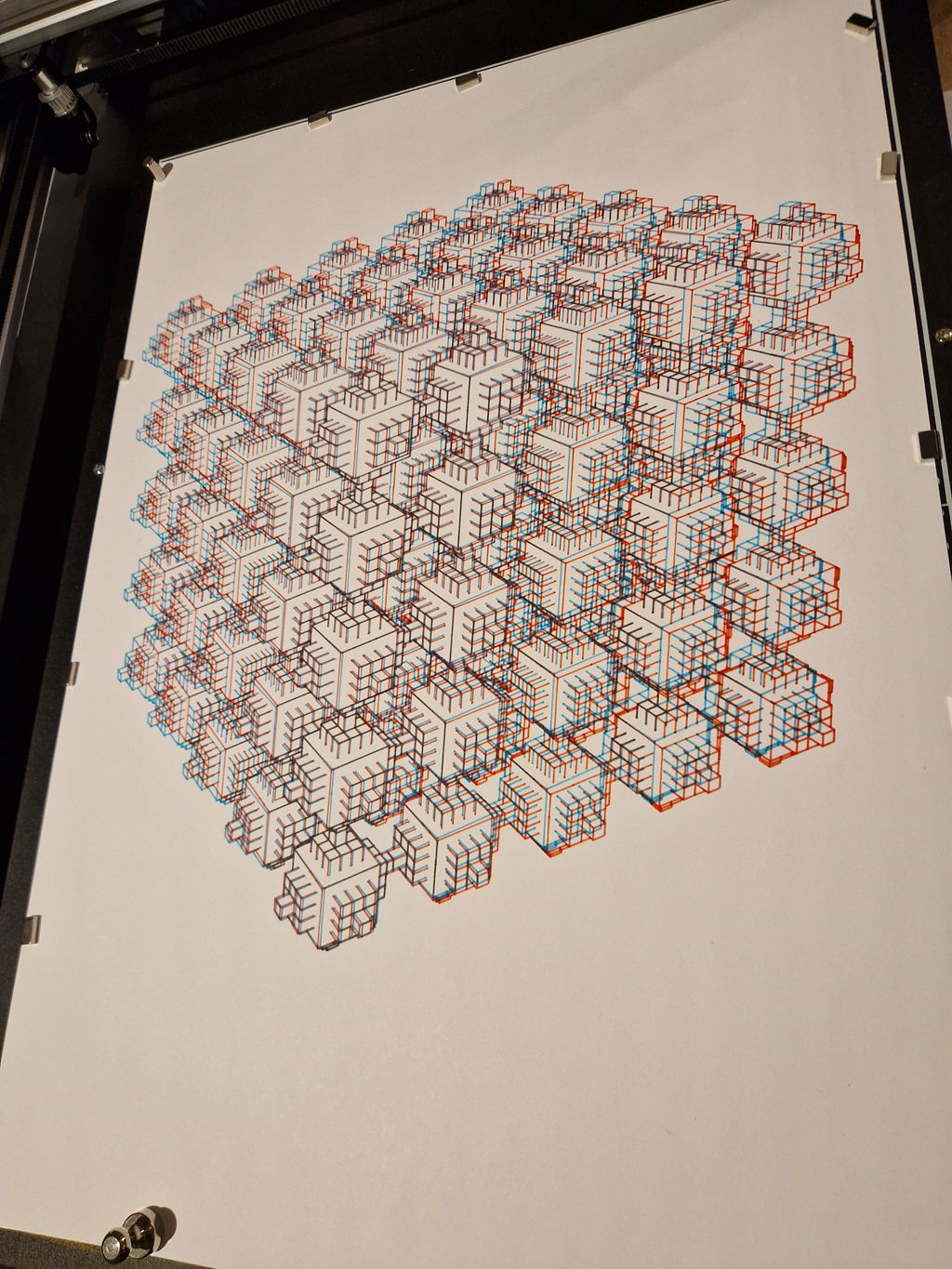
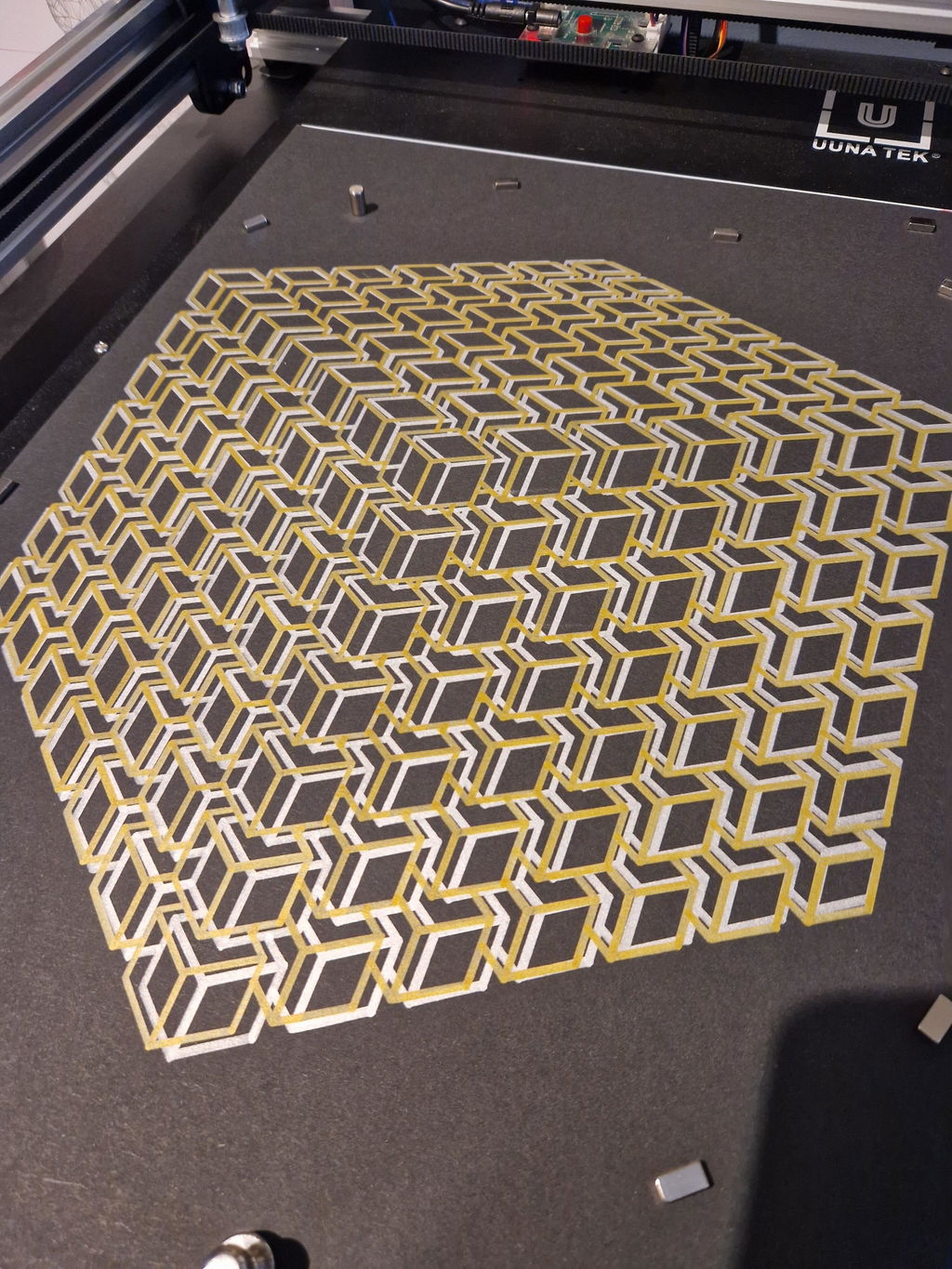
Reviews in Other Languages
Intrigué par ces machines capables de dessiner mécaniquement des artworks créés sur ordinateur, et étant en capacité de créer moi même des SVGs grâce à mon expérience de Graphic Designer, il me fallait absolument tester cette machine...
Je l'ai donc commandée pendant leur offre anniversaire, et lorsque je l'ai reçue, tout a été très vite ; j'ai pu directement tester quelques artworks via Inkscape, dès la machine sortie de son emballage (un seul cable à brancher et c'est parti !).
La plus grosse difficulté finalement, est de trouver l'inspiration, et d'apprendre à connaître les différentes possibilités offertes par les nombreux logiciels capables de produire des SVG (Illustrator, Inkscape, Cavalry, Blender/Cinema4D, Processing en P5.js...).
Mais du côté de la machine iDraw en elle même, j'en suis absolument ravi ; elle est très robuste, bien finie, efficace et fonctionne parfaitement une fois l'extension iDraw HSE installée dans Inkscape ; je la recommande chaudement pour tout artiste souhaitant se mettre au pen plotting sans les inconvénients du montage !
J'ai hâte de tester un maximum de techniques, de crayons et de papiers pour mes prochains projets !